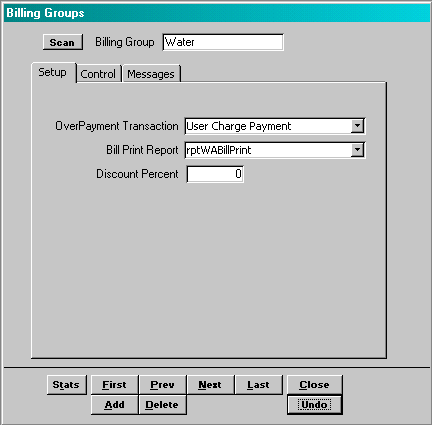
Menu Path: Administration > Billing Groups
Over-Payment Transaction: Select a transaction code from the list provided. In the event the customer’s payment exceeds the customer’s balance due, the system applies any credit balance to this transaction code.
Bill Print Report: Each billing group may have a separate bill associated with it. This field the name of the program that prints the bill for this billing group. This information will be provided by software engineer.
Discount Percent: If the user offers a discount on the bill amount for timely payment, this is the discount percent that is offered. If no discount is offered, then the field should be set to zero (0).
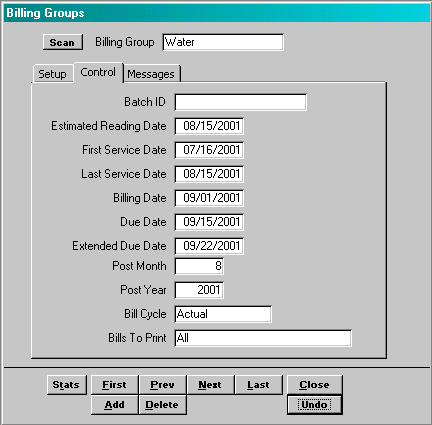
Batch ID:
Estimated Reading Date:
First Service Date:
Last Service Date:
Billing Date:
Due Date:
Extended Due Date:
Post Month:
Post Year:
Bill Cycle:
Bills To Print:
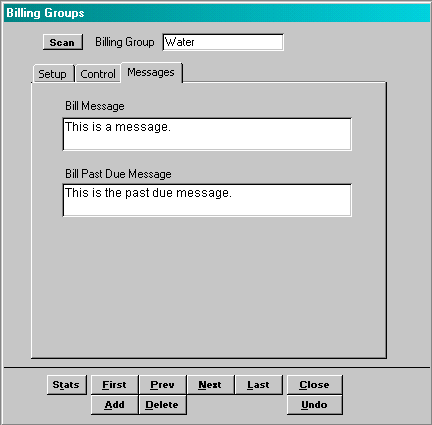
Bill Message:
Past Due Bill Message: